Large product lists can create a strange problem: having more listings does not necessarily make the right product easier to find. The Kakobuy Spreadsheet approach is most useful when you treat the catalog as a filtering and verification tool rather than a page to browse endlessly. Start with a precise search, narrow the results, compare measurable details, inspect available QC information, and only then decide whether a listing is worth taking to an external ordering platform.
This guide focuses on that process. The goal is not to tell you which individual product to buy, but to show how to reduce a crowded list to a small group of listings that you can actually evaluate.
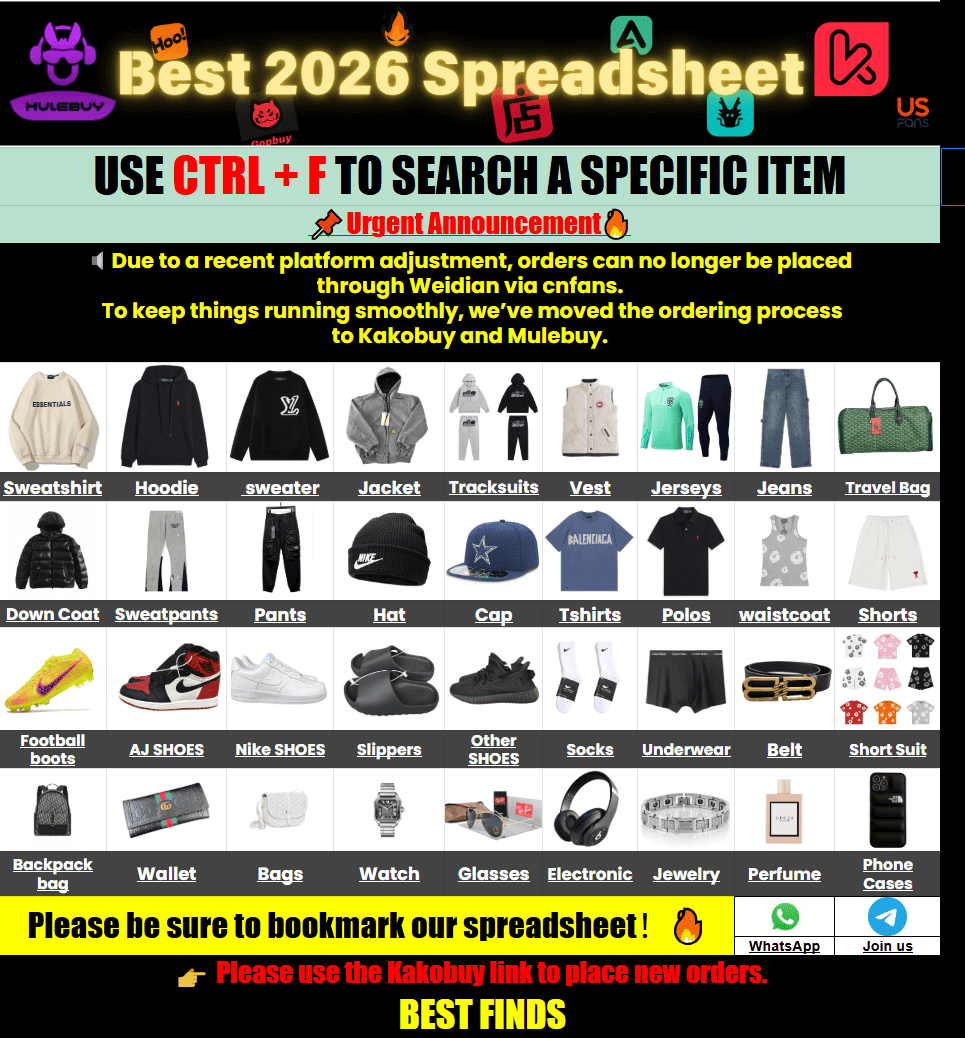
Smart Search Tip: Looking for more? To find items instantly, use single-word keywords (e.g., “SHOES” or “T-SHIRT”) instead of long sentences for the best results.
- Start by Defining What You Actually Need
- Cut a Long Listing Set Down Quickly
- Compare the Information That Matters
- Use QC Information as a Verification Stage
- Replace Size Labels With Measurements
- Keep Shipping in the Decision Process
- Know When a Listing Is Ready for Checkout
- Five Filtering Mistakes That Waste Time
- Kakobuy Spreadsheet Listing FAQ
Start by Defining What You Actually Need
Searching without a clear target is the fastest way to turn a product catalog into another version of an overwhelming spreadsheet. Before opening dozens of listings, define the characteristics that would make an item useful to you.
For clothing, that might mean a particular garment type, approximate fit, colour, construction style and budget. For footwear, foot length, intended use, colour and general shape can be more useful than a broad search such as “shoes.” For accessories, dimensions, material appearance, hardware and intended function may matter more than the product title.
A simple search brief can contain four elements:
- Product: What exactly are you looking for?
- Specification: What measurable characteristics matter?
- Appearance: Which colours, shapes or design details are required?
- Budget: What product-price range keeps the listing worth investigating?
Once those criteria are clear, the catalog becomes easier to use. The Kakobuy spreadsheet resource is structured for browsing product and sourcing information without requiring users to work through one large, unwieldy spreadsheet view.
Cut a Long Listing Set Down Quickly
The first filtering pass should remove listings that obviously fail your requirements. Do not spend several minutes investigating a product that can be rejected in ten seconds.
Look at the listing from the outside first. Check the product type, visible variant information, available images, stated dimensions and price. If one of your essential requirements is missing, put the listing aside rather than trying to guess the missing information.
This is especially useful when a search returns products that look similar in thumbnail images but differ substantially in construction or specifications.
| Initial Check | Keep the Listing When… | Pause or Reject When… |
|---|---|---|
| Product type | The item clearly matches your intended category | The title or images suggest a different product |
| Variant | Your required colour or configuration is available | The required option is unclear |
| Measurements | Useful dimensions are provided | Only generic size labels are shown for a size-sensitive item |
| Images | Enough detail is visible to continue research | Important product areas cannot be evaluated |
| Source information | A usable sourcing route is available | The listing lacks enough information to trace the product |
The objective at this stage is not to identify the final purchase. It is to turn twenty or fifty possibilities into perhaps three to eight worth closer examination.
Compare the Information That Matters
Once the obvious mismatches have been removed, compare the remaining listings on information that can actually change the purchase decision. This is where a product catalog becomes more useful than simply searching by appearance.
Consider creating a short comparison note for each candidate. You do not need a complicated spreadsheet of your own. A few consistent fields are enough:
- listed product price;
- available colour or variant;
- seller-provided measurements;
- visible construction details;
- available QC or inspection information;
- product weight if provided;
- package-related information where available;
- source link or ordering route.
Price deserves particular care. A listing with a lower item price is not automatically the lower-cost option after international shipping. Conversely, a somewhat higher product price may still fit your requirements better if the specifications are clearer and the listing is easier to verify.
From a sourcing perspective, information quality is itself a useful filter. If two products appear similar but one gives substantially better measurable information, that listing may be easier to evaluate before you commit to an external order.
Use category pages as a second filter
Category browsing is useful when your initial search is too broad. For example, shoppers researching footwear can move from general discovery to the Kakobuy Spreadsheet Shoes category and then narrow their attention to the product characteristics that matter for the particular pair they are researching.
The same principle applies across apparel and accessories: category classification gets you into the right part of the catalog, while specifications and listing evidence determine which individual entries deserve further attention.
Use QC Information as a Verification Stage
QC information should come after initial product selection, not replace it. If inspection photos are available through the external ordering process, they can provide a useful opportunity to identify visible issues before international shipment.
Review photos systematically rather than simply asking whether the product “looks good.” Check the areas most likely to reveal a mismatch or visible defect.
- Construction: Look at stitching, seams and visible joins.
- Shape: Check whether the product appears symmetrical and structurally consistent.
- Colour: Compare visible panels and components for obvious inconsistencies.
- Graphics: Inspect print placement and alignment where visible.
- Hardware: Check zippers, buckles, buttons and other visible components.
- Labels: Review tags and labels if they are part of the product specification.
- Footwear: Examine the outsole, shape, stitching and visible adhesive marks.
- Packaging: Note obvious damage if packaging condition matters for your use.
There are limits to what photographs can establish. A clear image cannot definitively verify fabric composition, chemical composition, long-term durability, extended comfort or performance after months of use. Those are characteristics that require information or testing beyond ordinary visual inspection.
A useful rule is to distinguish visible evidence from assumptions. If something can be seen, describe what is visible. If it cannot be established from the available material, leave that uncertainty in the decision.
Replace Size Labels With Measurements
Generic size labels are convenient for browsing but weak for cross-border purchasing. Manufacturer dimensions can differ significantly between products that use the same S, M, L or XL label.
For clothing, compare the listing’s measurements with a garment you already own and understand. Chest width, shoulder width, sleeve length and overall garment length can reveal whether a product is likely to have the proportions you want.
For trousers and shorts, waist, hip, rise and length may be more useful. For shoes, measure your foot and compare the result with the available foot-length or insole information.
| Category | Measurements to Prioritise | Useful Reference |
|---|---|---|
| T-shirts | Chest, shoulder, length | A T-shirt that already fits well |
| Hoodies and jackets | Chest, shoulder, sleeve, length | A similar garment, especially for layering |
| Pants and shorts | Waist, hip, rise, length | A pair with a known comfortable fit |
| Shoes | Foot length, insole length | Your measured foot plus seller dimensions |
| Accessories | Length, width, height, circumference or weight | The physical size you actually need |
If measurements conflict with the size label, measurements should receive more attention. The label is a shorthand; the physical dimensions are what determine whether the item fits.
Keep Shipping in the Decision Process
Filtering products only by item price can create a misleading shortlist. International orders have another cost layer: getting the parcel from the sourcing location to your destination.
The eventual shipping calculation can depend on actual weight, parcel dimensions, volumetric weight, destination, route, carrier and service level. The exact options and charges should be checked on the external ordering platform because they can change.
Packaging can also affect the calculation. A large retail box may add considerable volume even when it contributes relatively little product weight. Depending on the item and shipping service, reducing unnecessary packaging may sometimes make the parcel more compact. However, fragile products should not be stripped of protective packaging simply to reduce volume.
For shoppers in the UK, EU, US, Canada, Australia and New Zealand, import procedures are not interchangeable. VAT, GST, customs processing, delivery arrangements and available shipping services depend on the destination and current rules.
If the external platform offers options such as DDP or DDU, read the current service description carefully. Do not assume that the same tax or customs treatment applies to every destination. For a UK shipment in particular, check current official UK guidance if you are uncertain about applicable import charges or procedures.
Know When a Listing Is Ready for Checkout
A listing is ready for the next stage when you have enough information to make a deliberate decision rather than because you have found the first attractive image.
Before following the external ordering route, run a final five-point check:
- Identity: Is this definitely the product you intended to investigate?
- Variant: Is the selected colour, size or configuration clear?
- Specification: Have you checked the measurements that matter?
- Inspection: Do available QC materials reveal any visible issue that needs attention?
- Total-cost context: Have you considered product cost together with the likely international shipping stage?
The actual checkout then takes place through the external shopping agent or ordering platform associated with the product. The catalog is primarily a discovery and sourcing-information layer, so keeping the handoff clear helps prevent a common mistake: assuming that browsing information and final transaction terms are the same thing.
Five Filtering Mistakes That Waste Time
1. Searching with a full sentence
Long natural-language searches can make it harder to surface the relevant entries. Start with concise product terms and then refine the shortlist manually.
2. Judging by thumbnail alone
A thumbnail can establish basic appearance but usually cannot answer questions about measurements, construction or detailed specifications.
3. Treating price as a quality signal
Price tells you what the listing costs at that stage. It does not, by itself, establish construction quality, durability or suitability.
4. Ignoring missing information
Missing measurements or unclear variants are not details to silently fill in. Treat them as uncertainty and decide whether the listing provides enough evidence to continue.
5. Checking shipping too late
International shipping should be part of the shortlist calculation. A product that works at item level may not fit your overall budget once the parcel stage is considered.
Kakobuy Spreadsheet Listing FAQ
Q: What is the fastest way to narrow a large product list?
A: Start with a short search term, then remove listings that fail essential requirements such as product type, variant, dimensions or available sourcing information. Only investigate the remaining candidates in detail.
Q: How do I find items in the catalog?
A: Use concise product keywords first. Category navigation can then help narrow the results further before you compare individual listings.
Q: Should I choose the cheapest listing?
A: Not automatically. Compare the product information, measurements, visible details and potential shipping implications alongside the listed price.
Q: Can QC photos confirm product quality?
A: They can help identify visible defects and construction details, but photographs cannot definitively establish characteristics such as material composition, long-term durability or extended comfort.
Q: What measurements should I check for clothing?
A: Prioritise measurements that describe the actual garment, such as chest width, shoulder width, sleeve length, garment length, waist and hip. Compare them with an item that fits you well.
Q: Do UK shoppers need to consider customs and taxes?
A: International shipments can involve destination-specific customs, VAT or other import considerations. Rules and service arrangements can change, so check the current UK guidance and the terms of the selected shipping service.
Cutting through a large product catalog is mainly an exercise in reducing uncertainty. Search narrowly, reject obvious mismatches early, compare measurable specifications, use QC information for visible verification, and consider shipping before you move to external checkout. That process gives you a much smaller and more useful shortlist without pretending that a product page can answer questions it does not actually contain.