A Kakobuy spreadsheet is different from a traditional product list because the useful information is not limited to a product name and a basic link. A spreadsheet-style catalog can organize product discovery around searchable listings, categories, available product details and QC information, giving users more context while they compare potential finds. The difference matters most when a large list becomes difficult to browse, filter mentally or revisit later.
Traditional lists can still be useful for quickly sharing a collection of links. The challenge begins when the list grows: product names may become difficult to scan, related items can be separated from one another, and important details may require opening multiple pages before a useful comparison is possible. A web-based catalog approaches the same information from a more structured browsing perspective.
Smart Search Tip: Looking for more? To find items instantly, use single-word keywords (e.g., “SHOES” or “T-SHIRT”) instead of long sentences for the best results.
Table of Contents
- A Product List and a Product Catalog Solve Different Problems
- What Changes When Spreadsheet Information Becomes Browseable
- Why Product Context Matters More Than a Long List
- How QC Information Fits Into Product Research
- Comparing Products Without Treating Listings as Guarantees
- When a Traditional List May Still Be Useful
- Practical Questions About Kakobuy Spreadsheet Catalogs
A Product List and a Product Catalog Solve Different Problems
The simplest traditional product list is essentially a collection of references. It might contain product names, URLs, short descriptions or other basic identifiers. Its strength is simplicity: information can be collected quickly and shared without much organization.
The limitation is that the usefulness of a list does not necessarily increase at the same rate as its size. Ten links can be easy to review. Hundreds or thousands of entries can become a different problem. Users may need to search manually, remember where an item appeared, open several links and repeatedly switch between pages to understand what they are looking at.
A spreadsheet-based product catalog changes the browsing experience by putting more emphasis on discovery and organization. Instead of treating every product as an isolated link, the catalog can provide a common environment in which users browse categories, inspect available information and move between related listings.
This distinction is important because a catalog does not simply need to contain more products to be useful. Its value comes from making the information easier to navigate and interpret.
| Aspect | Traditional Product List | Spreadsheet-Based Catalog |
|---|---|---|
| Primary purpose | Share or store product references | Support product discovery and comparison |
| Browsing | Often relies on opening individual links | Organized browsing can make related listings easier to explore |
| Product context | May be limited to short descriptions or names | Can bring available product details into a more consistent browsing environment |
| Category discovery | Depends on how the original list was organized | Category-based navigation can help narrow a large collection |
| Research process | Often link-by-link | More suitable for scanning, comparing and then investigating selected listings |
What Changes When Spreadsheet Information Becomes Browseable
The biggest difference is not necessarily the underlying product information. It is the way that information can be encountered.
Imagine looking for a particular type of apparel in a very large spreadsheet. A user may know roughly what they want but not the exact product name. Searching individual rows can work, but category browsing provides another route: start with a product type, scan the available entries and open the listings that appear relevant.
This makes discovery less dependent on already knowing the exact name of an item.
The same principle applies when a user is exploring rather than searching for one specific product. A traditional list tends to answer the question, “What links are available?” A catalog can better support questions such as:
- What types of products are represented?
- Which listings are relevant to the category I am browsing?
- Which products deserve closer inspection?
- What information is available before I follow an external purchasing link?
- How do several potential listings differ?
That distinction makes a web-based spreadsheet catalog particularly useful as a research interface. It does not remove the need for product-page verification, but it can make the first stage of discovery more manageable.
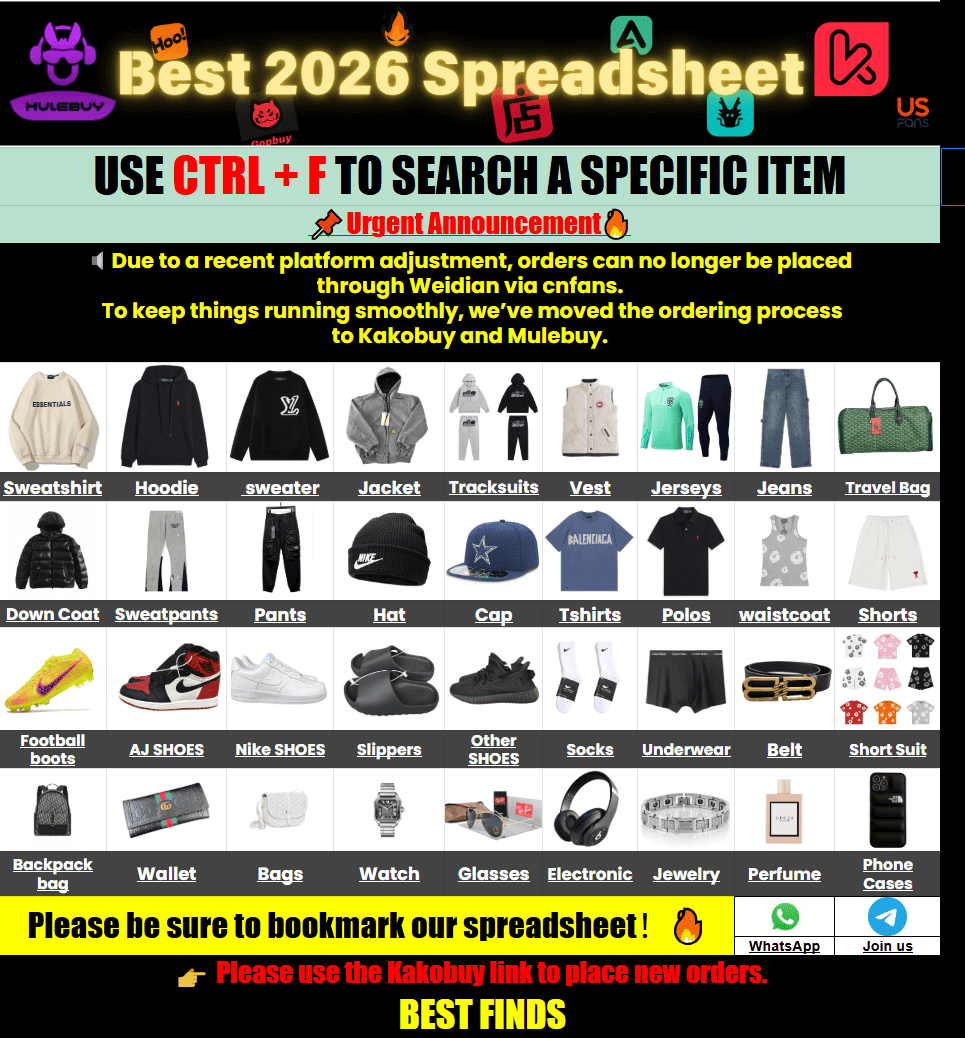
Why Product Context Matters More Than a Long List
A long product list can look impressive while still being difficult to use. Quantity alone does not tell a user how efficiently the information can be reviewed.
Product context provides another layer. When a listing includes information such as a product name, category, available images or other sourcing details, the user has more material to consider before opening the external destination. The exact information available can vary by listing, so it is better to treat catalog information as a starting point for research rather than as a complete substitute for the original product page.
This is also where comparison becomes more practical. Suppose two products appear similar at first glance. A useful comparison does not depend only on the title. The user can inspect whatever measurable or descriptive information is available and then determine whether the differences matter for the intended purchase.
For apparel, for example, actual measurements can be more informative than relying only on a generic size label. For accessories, dimensions, visible construction details and product photographs may provide additional context. For other product types, different specifications may matter instead.
The key principle is simple: use the catalog to narrow the field, then examine the specific listing before making a purchasing decision.
For users researching particular types of products, category organization can make this process more focused. For example, the Kakobuy Spreadsheet Accessories category can provide a more focused starting point than scanning an undifferentiated collection.
How QC Information Fits Into Product Research
QC information can add another useful layer to product discovery, particularly when photographs are available for inspection. The purpose is not to treat a photograph as proof of every product characteristic. Instead, visual information can help users identify details that deserve closer attention.
Depending on what is actually shown, photographs may help with observations such as:
- visible stitching and construction
- graphic or logo placement
- colour consistency between visible areas
- shape and symmetry
- tags and labels
- zippers, hardware or other visible components
- obvious marks, scratches or surface defects
- overall packaging condition when packaging is shown
There are clear limits. A photograph normally cannot establish long-term durability, precise material composition, chemical composition or future comfort. Lighting, camera angle and image quality can also affect what can be seen.
That makes QC information most useful as an inspection aid. A user can identify questions from the available images and then determine whether additional information is needed before proceeding.
This is another area where a structured catalog can differ from a basic link collection. If available QC information is presented alongside product discovery information, users have a clearer starting point for deciding which listings deserve additional investigation.
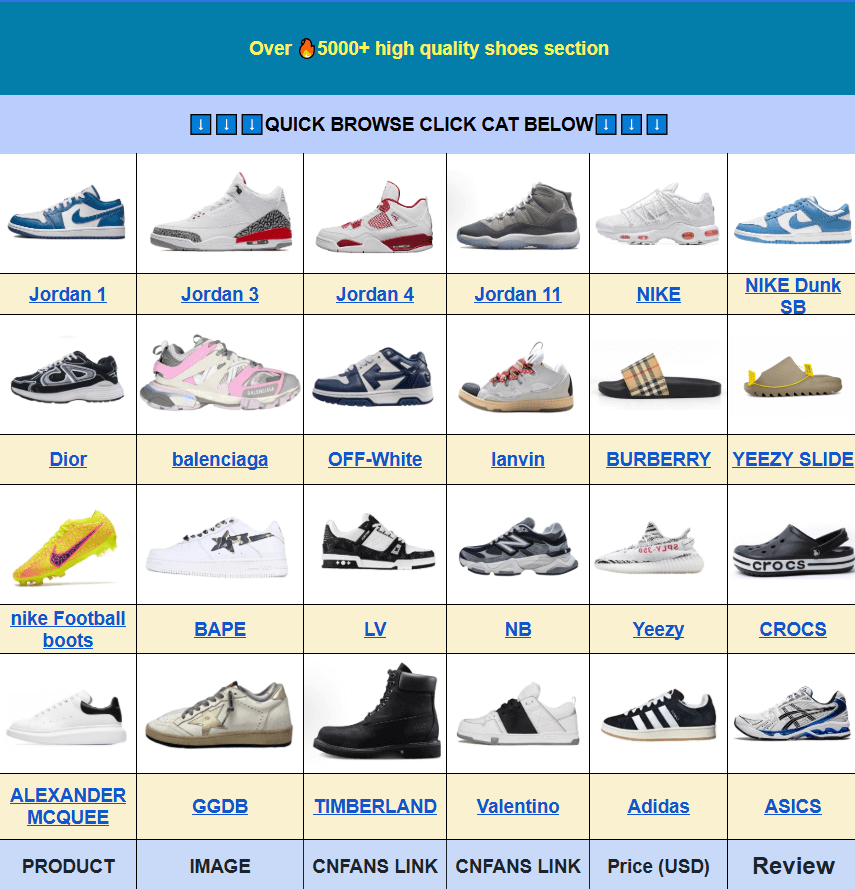
Comparing Products Without Treating Listings as Guarantees
A useful product catalog should help users compare information without encouraging them to confuse a listing with a guarantee.
Product availability, descriptions, images and other details can change. An item that appears in a catalog is therefore better understood as a research lead. The original product destination remains important for checking the information that applies to the specific item at the time of purchase.
A practical comparison process can be divided into three stages:
- Discovery: Find several potentially relevant products through search or category browsing.
- Screening: Compare the information that is actually available, such as visible specifications, photographs, dimensions or other listing details.
- Verification: Open the relevant product destination and check the current information before deciding whether to proceed.
This approach also prevents a common mistake: assuming that the most detailed-looking listing is automatically the most suitable product. More information can improve comparison, but the decision still depends on the user’s requirements.
For clothing and footwear, measurements are a good example. A label such as M, L or XL is not necessarily standardized across products. If manufacturer dimensions or actual measurements are available, comparing those numbers with a user’s existing item can provide a more meaningful reference point.
The same principle applies outside apparel. Product dimensions, weight, visible materials, included components and other specifications should be evaluated according to the product type rather than through a universal checklist.
When a Traditional List May Still Be Useful
A spreadsheet-style catalog does not make the traditional list obsolete. A simple list can be appropriate when the main requirement is quick information sharing or maintaining a small collection of references.
Traditional lists can also work well as a source from which a more organized discovery system is built. The difference comes from what happens after the links have been collected.
If the collection becomes large, users may benefit from a browsing layer that organizes the information around categories and product discovery. Instead of replacing the underlying concept of a product list, the catalog approach changes how people interact with that information.
This is why the comparison is better understood as a difference in information access rather than a simple question of which format contains more products.
A useful rule of thumb is:
- Use a simple list when you mainly need references.
- Use structured browsing when you need to discover products within a larger collection.
- Use product-level research when you have narrowed the options and need to verify details.
The Kakobuy spreadsheet 2026 catalog follows the latter approach by providing a web-based environment for product discovery, category browsing and examination of available sourcing information.
Practical Questions About Kakobuy Spreadsheet Catalogs
Is a Kakobuy spreadsheet simply another name for a Google Spreadsheet?
Not necessarily. The term can describe spreadsheet-style product information, while a web-based catalog presents that information through a dedicated browsing interface. The important difference is how users access, organize and investigate the information.
Does a catalog replace checking the original product listing?
No. Catalog information should help with discovery and preliminary comparison. Current product details, availability and other purchasing information should still be checked at the relevant external destination before proceeding.
Why are categories useful in a large product collection?
Categories reduce the amount of unrelated information a user needs to scan. Someone researching accessories, for example, can begin with that product group instead of searching through every available listing.
What can QC photographs actually tell me?
They can provide visual clues about details that are visible in the photographs, including construction, graphics, labels, colour appearance and obvious defects. They cannot independently verify characteristics that cannot be observed from the images.
Should product titles be trusted as specifications?
No. A title is an identification and discovery aid, not necessarily a complete specification sheet. Where dimensions, measurements or other concrete details are available, those should be considered separately.
Why can a structured catalog be easier to research than a long product list?
It can reduce the amount of manual scanning required by giving users category-based discovery and a more consistent way to inspect available product information. The benefit is primarily organizational rather than a guarantee about any individual listing.
The practical difference between a traditional product list and a spreadsheet-based catalog comes down to how information is used. A list primarily gives users references; a catalog can turn those references into a more navigable research environment. For large collections, that distinction can make it easier to discover relevant products, compare available information and decide which listings deserve closer verification.